Rules: teach Desire AI your preferences once
Save things you'd otherwise repeat in every chat, like words you never use, and your assistants follow them.
Written By Jason
Last updated About 7 hours ago
Tired of typing "don't call it luxury" in every chat? Save it as a rule. Rules are standing instructions your assistants follow automatically. Only you see your rules.
Open in Desire AI: Your Rules
Good rules for a jewelry brand
Never use the word "luxury"; say "heirloom-quality" instead.
Always mention free shipping over $100.
Write in British English.
Always say "recycled sterling silver," never just "silver."
Add a rule from your profile
Open the account menu, choose My Profile & Brands, then the Rules tab.
Click Add your first rule (or Add a rule), or start from one of the examples.
Choose where the rule applies:
Just here: one place only.
Pick places…: the assistants you choose.
Everywhere: all assistants.
Save. The rule applies from your next message.
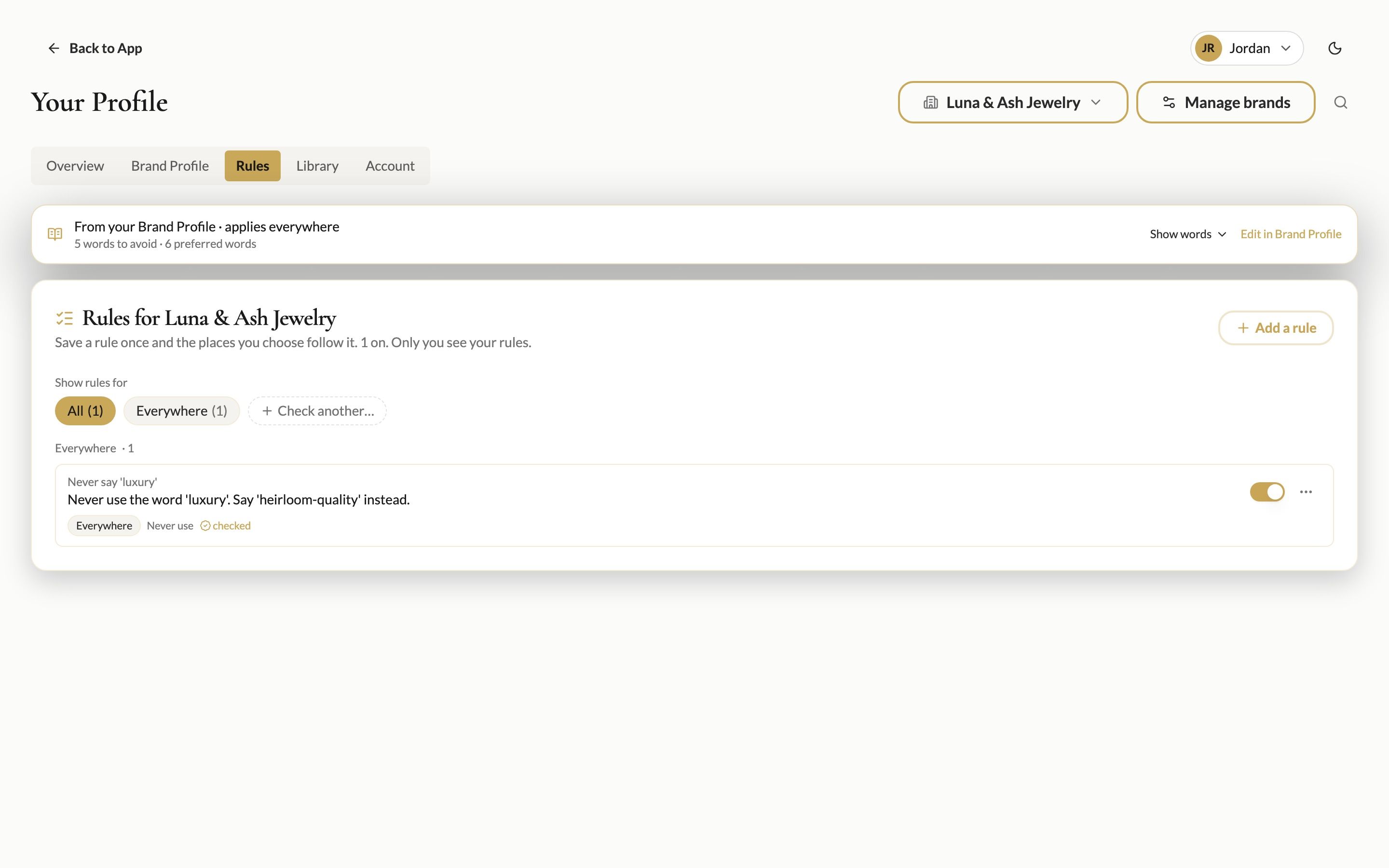
The top of the Rules tab also shows your Words to avoid and Preferred words from your brand profile. These apply everywhere. Click Edit in Brand Profile (or open Voice & Tone) to change them.
Add a rule from a chat
The Rules button in the chat header shows how many rules apply to the current assistant, for example "Rules · 1 here." Click it to see them or add one without leaving the chat.
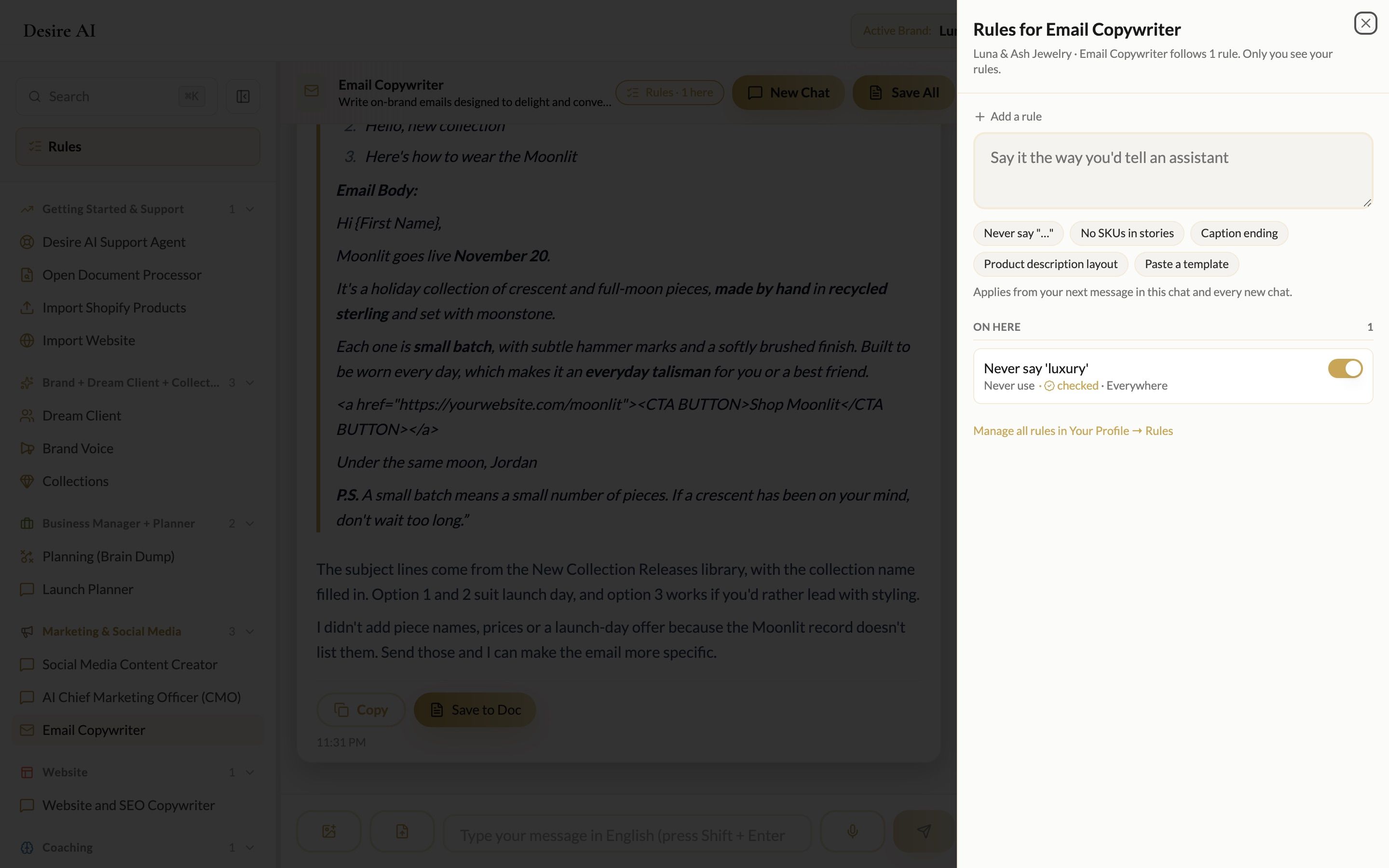
You can also just tell the assistant "lock this in" after you correct it. It will suggest a rule for you to save.
Turn a rule off
Use the switch next to a rule to pause it without deleting it. Each brand has its own rules, so check the Active Brand.
Was this helpful?
Still need help? Ask the team