How usage works and buying extra usage
Understand your daily and weekly usage, what happens when you run out, and how extra usage works.
Written By Jason
Last updated About 7 hours ago
Your membership includes a generous amount of AI usage every week. The Usage button at the top of the workspace shows how much you've used.
Open in Desire AI: Your usage · Billing & subscription
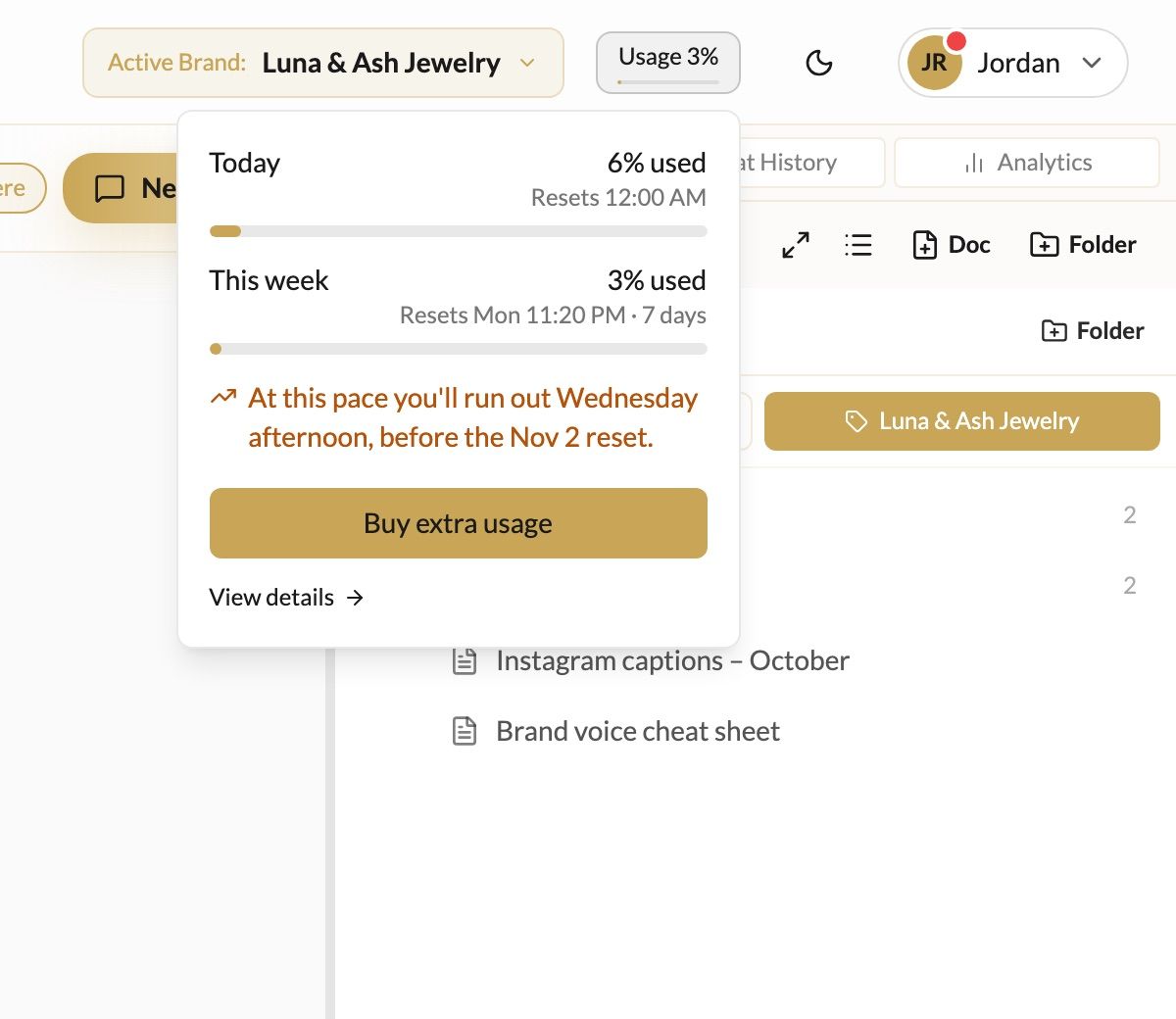
Today and This week
Today is your daily share. It keeps you from using a whole week in one marathon session, and resets every night.
This week is your included weekly usage. It resets on the day and time shown.
Longer conversations, big documents and images use more than quick questions. If you're on pace to run out early, the panel tells you when.
When you run out
Chat pauses until usage is available again, and the message box tells you when. You can:
Wait for the daily or weekly reset.
Buy extra usage to keep going straight away.
Reset for free, if offered. Members sometimes get a free reset once they've used most of the week.
Extra usage
Extra usage is used only after your included weekly usage runs out, and it carries over until you use it.
Click Buy extra usage in the usage panel, in My Account, or on Billing & subscription.
Choose an amount. Larger amounts include a bonus.
Pay securely through Stripe.
Keep going automatically, with a limit
Turn on Keep going with extra usage in My Account so chat never stops mid-launch. Use Set a limit (or Manage limit) to cap how much extra usage can be bought each month.
Was this helpful?
Still need help? Ask the team