Find anything fast with ⌘K
Search assistants, chats, documents, your library and settings from one box.
Written By Jason
Last updated About 8 hours ago
Search is the quickest way around Desire AI. Press ⌘K on a Mac or Ctrl+K on Windows, or click Search at the top of the sidebar, and start typing.
Open in Desire AI: Your workspace
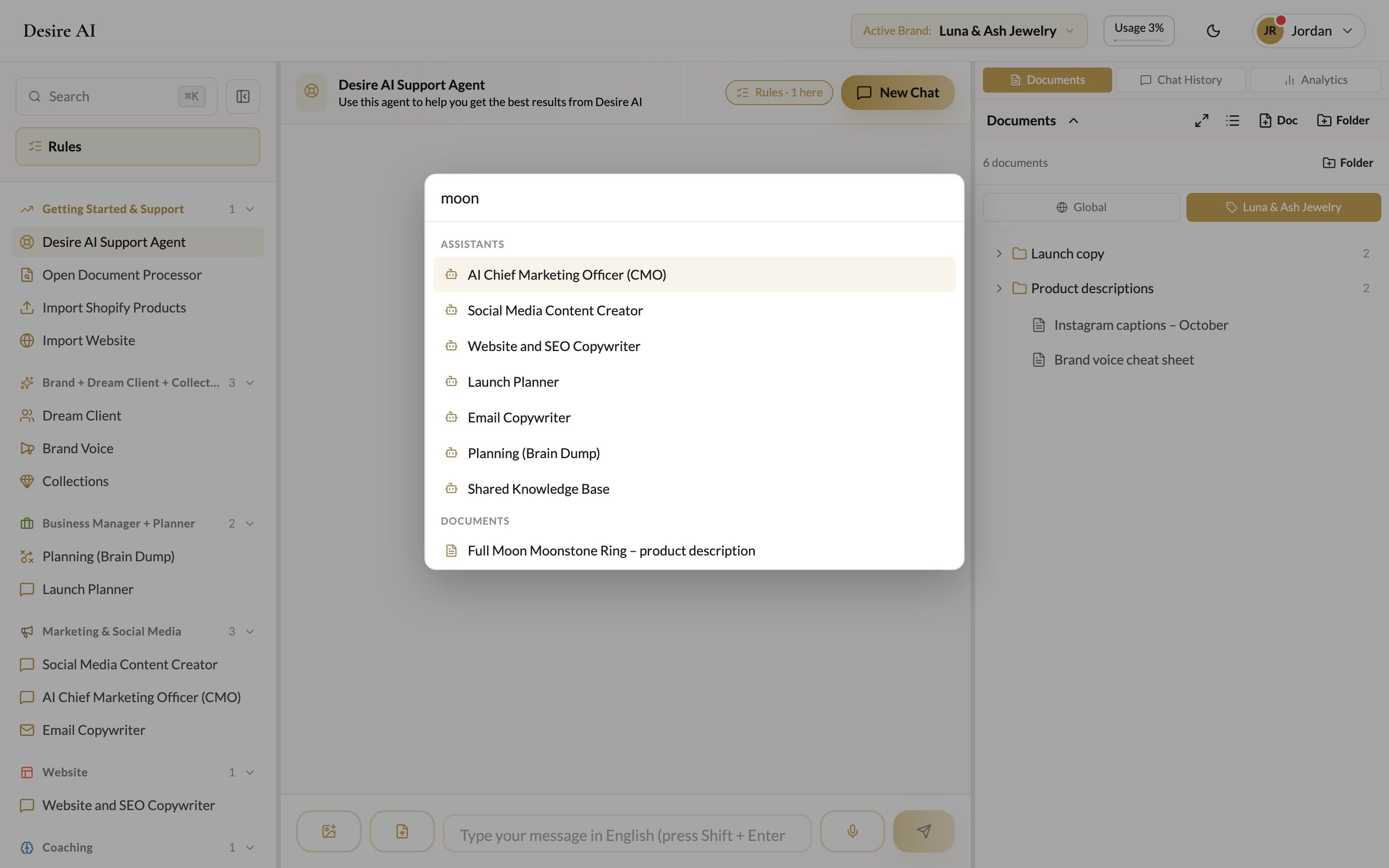
What you can find
Assistants and brands
Past conversations, across every assistant
Documents
Story Bank entries, testimonials and My Files
Content plans and recent Document Processor runs
Brand profile fields, for example type "dream client" to jump straight to that field
Jump anywhere
Search also takes you straight to pages: Settings, Planning, Shopify Import, Website Import, Story Bank, Testimonials and My Files.
Use the arrow keys to move through results, Enter to open one, and Esc to close.
Was this helpful?
Still need help? Ask the team