Import your products from Shopify
Bring your whole catalog into Collections & Pieces with a Shopify product export.
Written By Jason
Last updated About 8 hours ago
If you sell on Shopify, you don't need to type your pieces in one by one. Export your products from Shopify and import the file into Desire AI.
Open in Desire AI: Shopify Import · Collections & Pieces
Step 1: Export from Shopify
In your Shopify admin, go to Products.
Click Export.
Choose All products and CSV for Excel, Numbers, or other spreadsheet programs, then export. Shopify emails you the file, or downloads it straight away for small stores.
Step 2: Import into Desire AI
Check Active Brand is the brand these products belong to.
Go to My Profile & Brands → Library → Imports. You can also click Import Shopify Products in the sidebar.
Upload the CSV file and start the import.
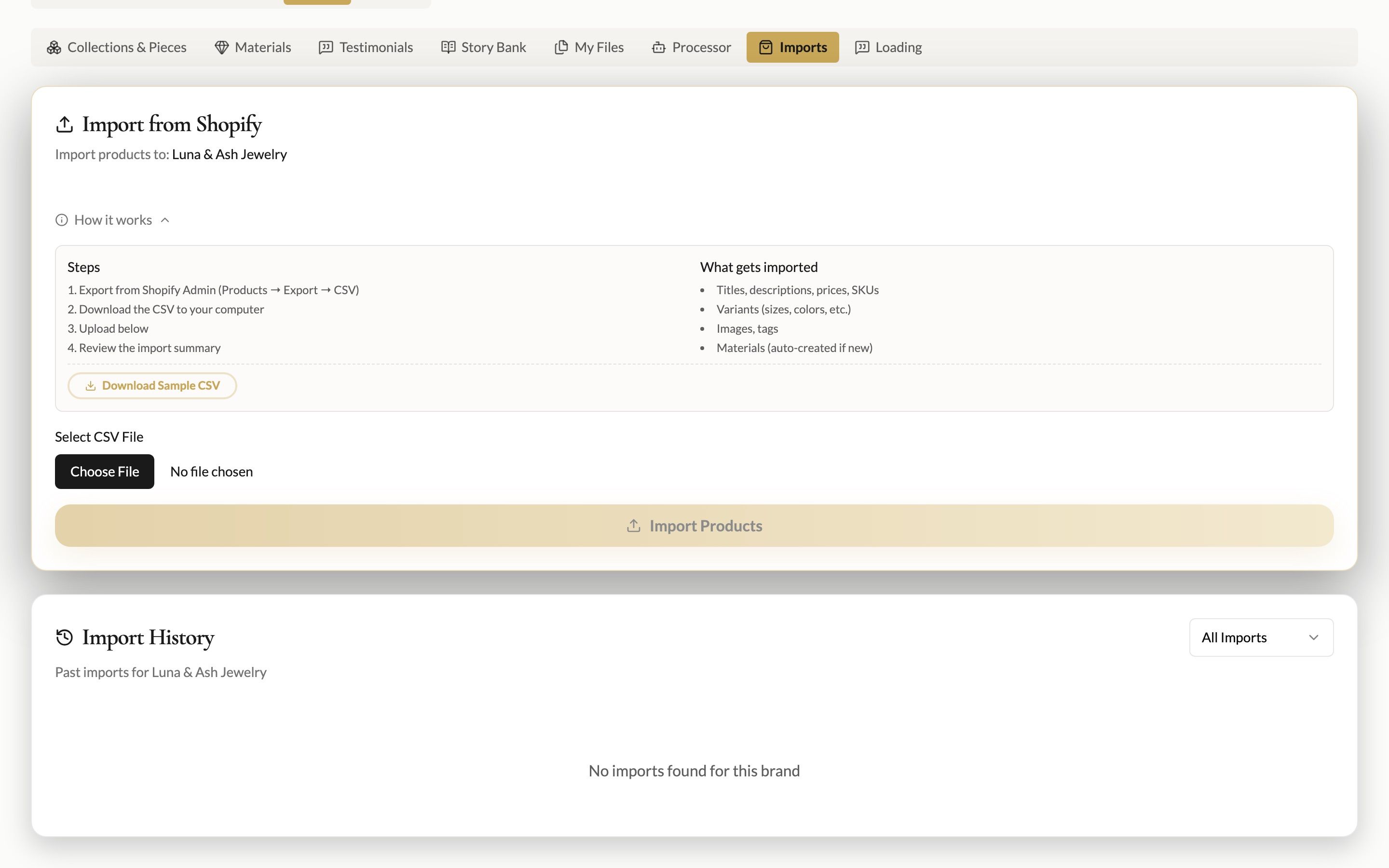
What gets imported
Product titles, descriptions, prices and SKUs
Variants (sizes, metals and so on)
Product images
Materials, created automatically from your product details
Large catalogs import in the background, so you can keep working. Import History shows each import and its result.
After importing
Open Collections & Pieces and drag your pieces into collections. Then ask the Website and SEO Copywriter to refresh a description, and it will already know the piece.
Was this helpful?
Still need help? Ask the team