Which assistant should I use?
A guide to each Desire AI assistant and the jobs it's best at.
Written By Jason
Last updated About 8 hours ago
Each Desire AI assistant is a specialist. Picking the right one gets you a better answer, faster. Here's who does what.
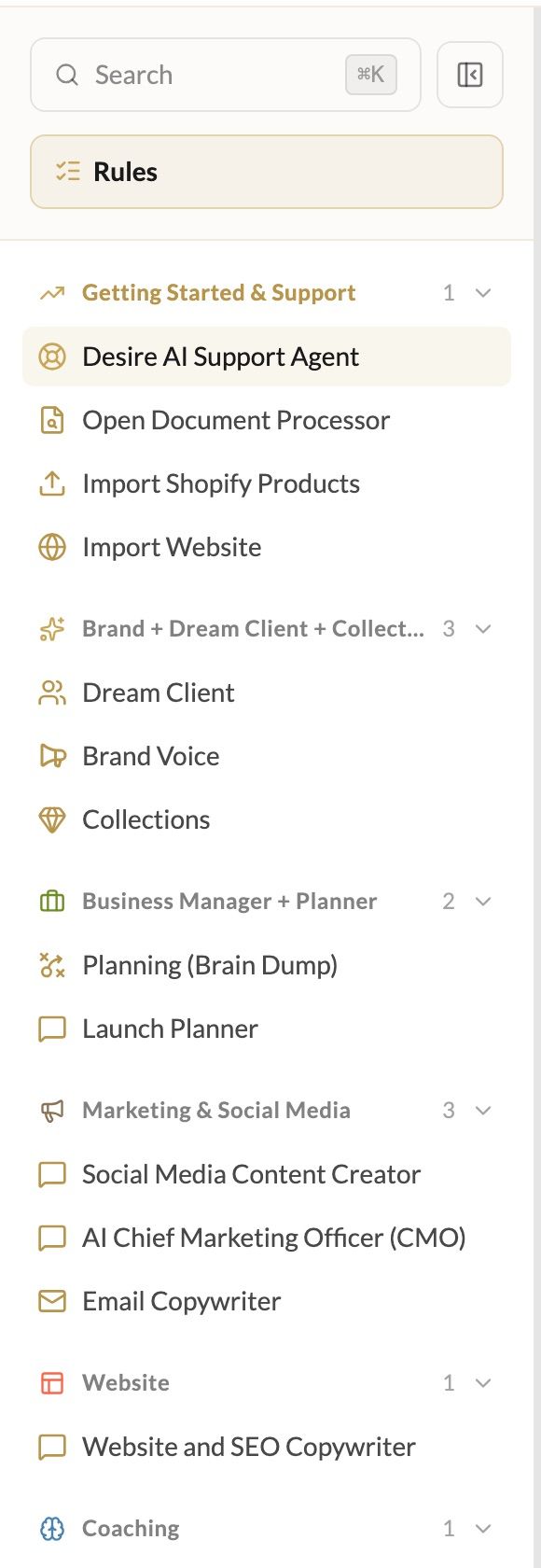
Getting Started & Support
Desire AI Support Agent: your guide to Desire AI itself. Ask how to do something, or which assistant fits your task.
The shortcuts below it, Open Document Processor, Import Shopify Products and Import Website, bring your existing content in. See My Files and the Document Processor and Import your products from Shopify.
Brand + Dream Client + Collections
Dream Client: get clear on who your ideal customer is and what makes them buy.
Brand Voice: define and refine how your brand sounds.
Collections: plan and develop collections and product lines.
Business Manager + Planner
Planning (Brain Dump): empty your head and get everything organized and prioritized. It can save tasks straight to Planning for you.
Launch Planner: for launching a collection, a new piece, a sale or a promotion. It builds the timeline and can save a launch plan with milestones.
Marketing & Social Media
Social Media Content Creator: captions and posts that turn followers into buyers.
AI Chief Marketing Officer (CMO): campaign themes, the big idea, how email, social and your website work together, and figuring out why sales are slow. Use Launch Planner for calendars and to-do lists, and Social Media Content Creator for captions.
Email Copywriter: on-brand emails that delight and convert.
Website
Website and SEO Copywriter: product descriptions, About and home pages, blog posts, and meta titles and descriptions that read beautifully and rank.
Coaching
Business Coach: coaching drawn from Desire AI's trainings, lessons and coaching sessions.
Quick picks
Sometimes an assistant will suggest handing you over to another one, and you'll see a button under its reply to switch. All assistants share your brand profile, so you never have to re-explain your brand.
Was this helpful?
Still need help? Ask the team